
Nusuk | نسك
Ministry of Hajj and UmraTravel & Local
4.2550.00 Reviews
- Version
- 17.6.2
- Installs
- 10.00M
- Age Rating
- Everyone
Screenshots
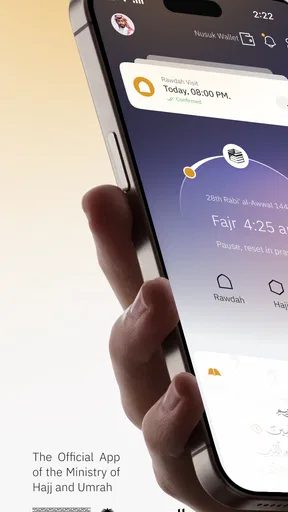
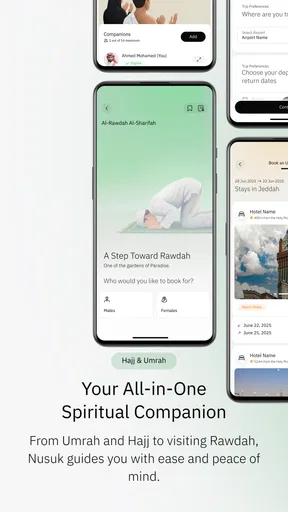
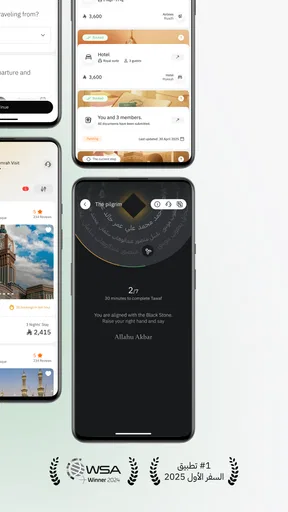
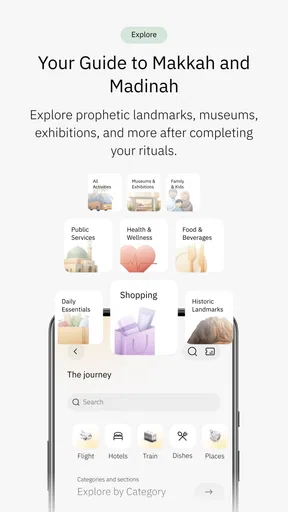
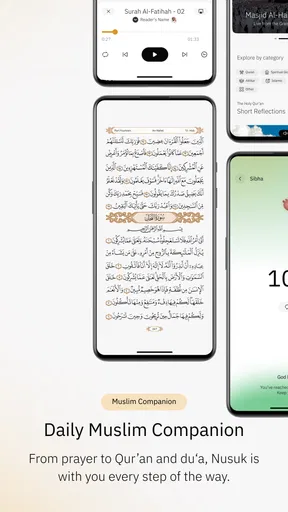
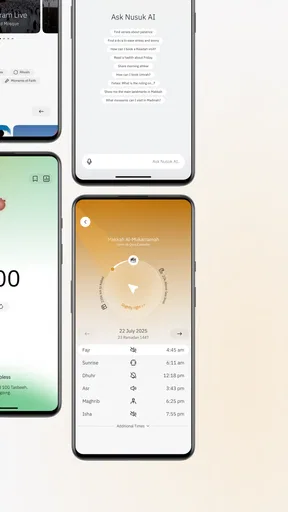
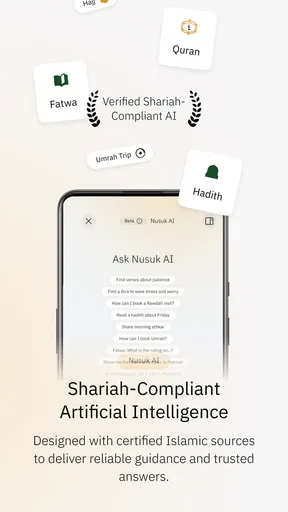
Our Review of Nusuk | نسك
 Analysis by Appyee
Planning a pilgrimage involves more than knowing where to go. It also means handling changing plans, unfamiliar surroundings, crowded areas, and moments when your attention is already divided. That is where Nusuk | نسك aims to help. Developed by the Ministry of Hajj and Umra, it is a free Travel & Local app designed as a digital companion for people preparing for or taking part in the journey.
I approached it less like a general travel guide and more like a practical tool to keep close during a demanding trip. Its value depends heavily on how well it fits into real mobile situations: checking information while moving, using it when the signal is busy, and avoiding unnecessary confusion when a phone is already carrying several other travel tasks. The app has a 4.1 average from around 252 thousand ratings, with more than 10 million installs, so it has clearly reached a large audience.
That popularity does not automatically make it perfect for every traveler. A pilgrimage companion needs to be judged by the small moments that matter: whether I can find what I need quickly, whether the app remains useful when connectivity becomes unreliable, and whether it complements rather than replaces personal preparation. My experience is that Nusuk can be valuable, but it works best when treated as one part of a wider plan rather than the only source of guidance.
How Nusuk fits into a connected pilgrimage
I find Nusuk most useful when it sits alongside the other pieces of a pilgrimage plan rather than trying to replace them. This section looks at how I would move from checking information in the app to coordinating with companions and keeping a practical backup, so the digital part supports the journey without becoming a single point of failure.
The useful moments happen while plans are changing
The strongest reason to keep this app available is that pilgrimage travel is not a fixed sightseeing itinerary. A visitor may need to review information before leaving accommodation, check something while traveling between locations, or confirm the next step after plans change. A printed guide can explain the broader journey, but it cannot offer the same convenience as having a relevant service on the phone that is already in hand.
This is also where the app’s Travel & Local classification makes sense. It is not simply a map replacement or a general-purpose trip planner. Its purpose is tied to the particular needs of Hajj and Umrah travelers, which gives it a more focused role than ordinary travel apps. Instead of forcing a user to assemble everything from unrelated sources, it provides a single place to begin when looking for pilgrimage-related guidance.
I would especially recommend setting it up before the busiest part of the trip. The calmest time to sign in, review the interface, and understand where important information is located is before stepping into a crowded environment. Trying to learn the app while walking, carrying belongings, or staying with a group is an avoidable source of stress.
Connectivity changes the quality of the experience
Nusuk is most comfortable to use when the phone has a stable connection. That matters because a connected app can reflect current information more effectively than notes saved long before departure. At the same time, a dependable connection should not be confused with a guaranteed connection. Airports, transport areas, hotels, and crowded religious sites can all create moments when mobile data feels slower or less predictable than expected.
My practical advice is to open the app before leaving a reliable Wi-Fi connection, review the information needed for the next stage, and avoid waiting until the exact moment of need. This is not a claim that every part of the app works without a network; it is simply a sensible way to reduce pressure when using any service that may need connectivity. I would also keep essential personal details and meeting arrangements somewhere separate, because a phone application should not be the sole backup for a group journey.
There is a subtle trade-off here. A connected official service can be more useful than a static guide when information changes, but it also makes timing and signal quality part of the user experience. People who expect every screen to be instantly available in every location may become frustrated. People who prepare around that limitation are more likely to see the app as helpful rather than magical.
Using it with one hand and divided attention
Mobile use during pilgrimage is rarely a relaxed desk activity. I imagine opening Nusuk while standing, walking slowly with a group, waiting for transport, or trying to keep track of personal belongings. That means the best workflow is not to browse aimlessly. I would decide in advance what I am trying to find, open the app only when it is safe to pay attention, and close it once the relevant information has been checked.
This approach also helps conserve battery and data. Repeatedly opening an app, switching between sections, and leaving the screen active can be wasteful during a long day. A portable charger is useful for the entire trip, but it is particularly important when the phone is also being used for calls, translation, maps, identification, and photography. Nusuk may be central to the journey, yet it competes with all those demands on the same device.
For older travelers or people who are not comfortable with smartphones, the app should be introduced gradually. A family member can help with the initial setup, explain the main navigation path, and write down any information that must remain accessible if the phone is misplaced or the connection fails. That shared preparation is more effective than assuming that every traveler will become comfortable with the interface immediately.
A realistic day-to-day scenario
Consider a traveler staying with relatives and moving as part of a small group. Before leaving the hotel, I would check the next planned activity in Nusuk while connected to the hotel network. I would then tell the group where we are going and agree on a meeting point that does not depend on everyone being able to open the app at the same time.
Later, if the group becomes separated, the application may still be useful for reviewing the relevant journey information, but it should not replace a simple human plan. Each person should know the accommodation name, carry a phone number for a companion, and understand what to do if the network becomes slow. This is one of the most important practical lessons: connectivity is an aid to coordination, not a substitute for coordination.
On the way back, I would avoid relying on a last-second screen check. If something matters for the next movement, I would review it earlier and keep the phone charged. That small habit turns the app from an emergency search tool into a calmer planning tool.
What happens when the connection is poor?
The uncomfortable question for any travel app is what happens when it cannot communicate properly. With Nusuk, I would expect the experience to be less predictable during weak connectivity than when the phone is online, so I would not build a critical plan around a screen that has not loaded yet. The sensible response is to prepare before moving, retry from a better location when possible, and keep non-digital reminders for the information that affects the next step.
If an action seems stuck, repeatedly tapping the same control is rarely helpful. I would first check whether the phone has a signal, whether another application is using the connection heavily, and whether the device has enough battery. After that, I would close and reopen the app or try again later rather than assuming that a slow response means the process has failed.
Recovery is easier when the user knows what has already been completed. I recommend noting confirmation details in a private place when an important step is finished, without exposing sensitive information unnecessarily. A screenshot may be convenient for personal reference, but it should not be treated as a universal guarantee that every service can be completed or verified offline. The safer principle is to preserve a clear record while still returning to the app when a connection is available.
Protecting access on a shared or crowded trip
A pilgrimage often involves family members helping one another with phones. That is practical, but it can also lead to accidental changes, forgotten sign-ins, or confusion about which account is being used. I would avoid handing an unlocked phone to several people without supervision, especially when the device contains travel documents, messages, or payment applications alongside Nusuk.
It is worth deciding who in a group is responsible for checking shared information. If everyone is searching independently, different people may remember different details and create unnecessary uncertainty. One person can review the app, another can confirm the plan verbally, and everyone can keep the basic meeting details separately. This division of responsibility is a small improvement that a store description would never explain, but it makes a real difference in crowded surroundings.
Language and familiarity can also affect the experience. The app name appears in both Latin and Arabic script, and travelers may have different comfort levels with the language shown on their device. I would give family members time to explore the relevant screens before departure instead of assuming that a quick demonstration will be enough. If someone struggles with reading small text or navigating menus, assistance from a trusted companion is better than leaving that person dependent on a live connection at a stressful moment.
Using mobile data without wasting it
Travelers often focus on roaming costs, but data management is also about battery life and reliability. I would reserve mobile data for necessary checks and use dependable Wi-Fi for preparation whenever possible. At the same time, I would not wait until a crowded public network is the only available option to open the app for something important. Public Wi-Fi can be slow, congested, or inconvenient, so preparation should happen earlier.
Keeping the phone in a sensible state helps too. Closing unrelated apps, reducing unnecessary screen time, and carrying a charger are simple measures. I would also avoid streaming or downloading large unrelated content during the same period when I need the phone for pilgrimage tasks. The goal is not to measure every small use of data, but to preserve enough battery and connection capacity for the moments that genuinely matter.
There is another useful distinction between information and action. Reading general guidance before leaving a hotel may require less urgency than completing a time-sensitive step. I would handle the action first when connected, then use spare moments for reading. This prioritization prevents a long browsing session from delaying something more important.
Who will benefit most from the app?
Nusuk is a strong fit for travelers who want an official, pilgrimage-focused starting point on their phone. It is particularly suitable for first-time visitors who would rather not depend entirely on scattered web pages, informal advice, or several unrelated travel applications. Families can also benefit when one or two members take responsibility for checking information and helping others use the app.
It is less suitable as a complete solution for someone who dislikes mobile services, has limited access to a reliable smartphone, or expects a fully independent guide that removes the need for preparation. A traveler who prefers paper instructions may still find the app useful before departure, but should not feel obliged to make it the center of every decision. Likewise, people who need detailed general navigation, translation, airline management, or hotel booking will still need other tools because Nusuk has a specific pilgrimage role rather than being an all-purpose travel suite.
The app is free and rated for Everyone, which makes it approachable for a broad range of travelers. It was released on December 29, 2023, and the current version is 17.4.9, with Android support beginning at version 8.0. Those details matter when preparing an older phone: I would check compatibility and update the device before traveling, not after arriving. An update at the last minute can consume time, battery, and data that would be better spent on preparation.
How it compares with ordinary travel alternatives
A normal map application is usually better for street-level directions, business searches, and general route planning. A browser may be faster for checking broad travel information, while a printed guide can remain readable when a phone is unavailable. Messaging apps are often better for telling a group where to meet. None of those alternatives is automatically a replacement for a pilgrimage-focused service, because they solve different problems.
The advantage of Nusuk is concentration: it gives the traveler a dedicated place to begin with pilgrimage-related needs. The disadvantage is that concentration can create overdependence. If I used it for every question, I would still need other tools for transportation, communication, translation, and emergencies. The best setup is a small toolkit in which Nusuk handles its own area and other tools handle theirs.
This comparison also explains why some users may rate it highly while others remain dissatisfied. A first-time pilgrim looking for focused guidance may appreciate its purpose immediately. A frequent traveler expecting the flexibility of a general travel platform may find it narrower. Neither reaction is surprising; the right choice depends on whether the user wants pilgrimage-specific support or a broad travel command center.
My practical setup before departure
I would begin by installing the app while connected to a stable network, signing in carefully, and allowing enough time to understand the main sections. I would not wait until the airport or a crowded location. After that, I would review the information relevant to my own journey and explain the basic process to anyone traveling with me.
Next, I would prepare a separate note containing accommodation details, group contacts, and a simple meeting plan. I would charge the phone, pack a power bank, and make sure the operating system can run the application. I would also decide which information must be available immediately and which can wait until I have a connection. This turns connectivity from a source of anxiety into something I can manage.
During the trip, I would open Nusuk intentionally rather than constantly refreshing it. If a screen takes too long, I would stop and reassess the signal instead of repeatedly pressing buttons. After completing an important step, I would keep a private record of what happened and tell the relevant companion. These habits are more valuable than simply having the app installed.
My connectivity verdict
After looking at Nusuk through the realities of mobile travel, I see it as a useful official companion with a clear purpose, not a replacement for common sense or a complete travel system. Its large user base and 4.1 average suggest that many people find value in it, while the focused design makes more sense for pilgrimage travelers than for tourists seeking ordinary destination planning.
The biggest qualification is connectivity. I would use the app confidently when preparing on a reliable network and when checking information with enough time to recover from a slow response. I would be more cautious about depending on it for a last-second decision in a crowded place. That is not a criticism unique to this application; it is the practical reality of carrying a connected service through a demanding journey.
My recommendation is to install Nusuk before the trip, learn its relevant workflow, and pair it with offline personal notes, group communication, and a charged phone. If you approach it that way, it can reduce the need to search across scattered sources and give your preparation a clearer center. If you expect it to provide every travel function or remain equally convenient under all network conditions, you may be disappointed. Used within its proper role, however, it is a worthwhile free addition for travelers who want pilgrimage-focused support from the Ministry of Hajj and Umra.
Privacy and Permissions
See what permissions an app requests and how it handles your data.
- Calendar
- read calendar events plus confidential information, add or modify calendar events and send email to guests without owners' knowledge
- Contacts
- read your contacts
- Location
- approximate location (network-based), precise location (GPS and network-based)
- Phone
- read phone status and identity
- Photos/Media/Files
- read the contents of your USB storage, modify or delete the contents of your USB storage
- Storage
- read the contents of your USB storage, modify or delete the contents of your USB storage
- Camera
- take pictures and videos
- Microphone
- record audio
- Wi-Fi connection information
- view Wi-Fi connections
- Device ID & call information
- read phone status and identity
- Other
- view network connections, pair with Bluetooth devices, access Bluetooth settings, connect and disconnect from Wi-Fi, control flashlight, full network access, control Near Field Communication, run at startup, draw over other apps, control vibration, prevent device from sleeping, set an alarm, read Google service configuration
Verdict
Strengths of Nusuk | نسك
- Official platform for planning Hajj and Umrah services
- Supports multiple languages for international pilgrims
- Centralizes permits, bookings, and pilgrimage information
- Provides updates and guidance from Saudi authorities
- Useful maps and location details for key holy sites
Limitations of Nusuk | نسك
- Some services may require eligibility or specific visa conditions
- App performance can vary during peak pilgrimage periods
- Account verification may take time for some users
- Certain bookings depend on limited availability
- Information and features may differ by country or pilgrimage type
Similar Picks in This Category
View All
Google Maps
Google LLC3.4

Google Maps Go
Google LLC4.1

Booking.com: Hotels & Travel
Booking.com Hotels & Vacation Rentals4.8

Google Earth
Google LLC3.8

Skyscanner Flights Hotels Cars
Skyscanner Ltd4.8

trivago: Compare hotel prices
trivago N.V.4.4
Frequently Asked Questions
What is Nusuk, and what can I use it for?
Nusuk is Saudi Arabia’s official digital platform for planning and managing journeys to Makkah and Madinah, particularly Umrah and Hajj-related services. Depending on your eligibility and location, the app may help you explore travel information, apply for permits, reserve appointments, review packages, and access guidance for religious sites. Available features can vary by nationality, visa type, season, and current Saudi regulations.
Can international visitors use the Nusuk app to arrange Umrah?
Yes, eligible international visitors can generally use Nusuk to access services connected with Umrah, although the exact process depends on their nationality, visa status, and the rules in effect when they apply. Some users may need to create a profile, verify passport information, and select an approved service or package. Requirements and availability should always be checked inside the app and through official Saudi sources.
Is Nusuk required for visiting the Holy Mosques or performing Umrah?
Nusuk may be required or strongly recommended for certain permits, appointments, or regulated access arrangements, but requirements can change according to crowd levels, pilgrimage season, government decisions, and the type of visit. Installing the app does not automatically grant entry or permission. Before traveling, check the latest instructions shown in Nusuk and confirm whether a permit, booking, visa, or additional registration is necessary.
What information and documents are needed to register on Nusuk?
Registration commonly requires personal details such as your name, nationality, contact information, and passport or visa data. Depending on the service you request, the platform may ask for identity verification, travel information, or other supporting documents. Enter your details exactly as they appear on your official documents, use an email address or phone number you can access, and avoid creating duplicate accounts that could complicate verification.
Is Nusuk free to download, and are the services inside the app free?
Nusuk is generally available as a free download, but downloading the app does not mean every service is free. Certain permits may have no separate charge, while accommodation, transportation, guided services, travel packages, visa-related services, or other bookings can involve fees. Review the final price, provider details, cancellation terms, and payment information carefully before confirming any reservation through the platform.
